※ ansible 버전마다 다르지만 해당 구문이 안될 경우 바꿔서 해보기
ansible_hostname in groups['dev'] -> inventory_hostname in groups['dev']
8. hosts 파일 생성하기
문제 및 답
문제 8)
특정 경로에 있는hosts.j2를 /home/matthew/ansible에 다운로드한다. (wget을 사용한다)
/home/matthew/ansible/hosts.yml라는 플레이북을 만들고, 해당 템플릿을 이용하여
/etc/hosts 파일을 만들되 dev 호스트 그룹안에 있는 호스트에 /etc/myhosts로 저장한다.
만들어진 파일은 아래 내용과 동일해야 한다.

127.0.0.1 localhost localhost.localdomain localhost4 localhost4.localdomain4
:: 1 localhost localhost.localdomain localhost6 localhost6.localdomain6
172.25.250.11 node1.lab.example.com node1172.25.250.10 control.lab.example.com servera172.25.250.12 node2.lab.example.com node2172.25.250.13 node3.lab.example.com node3172.25.250.14 node4.lab.example.com node4172.25.250.15 node5.lab.example.com node5
답 8)
#vi hosts.j2
{% for host in groups['all'] %}
{{ hostvars[host]['ansible_default_ipv4']['address'] }} {{ hostvars[host]['ansible_fqdn'] }} {{ hostvars[host]['ansible_hostname'] }}
{% endfor %}
#vi hosts.yml
- name: create the hosts file
hosts: all
tasks:
- name: create hosts file using the template
template:
src: hosts.j2
dest: /etc/myhosts
when: ansible_hostname in groups['dev']
#ansible all –m shell –a “cat /etc/myhosts”
풀이과정
특정 경로에 있는hosts.j2를 /home/ec2-user/ansible에 다운로드한다. (wget을 사용한다)
/home/ec2-user/ansible/hosts.yml라는 플레이북을 만들고, 해당 템플릿을 이용하여
/etc/hosts 파일을 만들되 dev 호스트 그룹안에 있는 호스트에 /etc/myhosts로 저장한다.
만들어진 파일은 아래 내용과 동일해야 한다.

127.0.0.1 localhost localhost.localdomain localhost4 localhost4.localdomain4
:: 1 localhost localhost.localdomain localhost6 localhost6.localdomain6
172.25.250.11 node1.lab.example.com node1172.25.250.10 control.lab.example.com servera172.25.250.12 node2.lab.example.com node2172.25.250.13 node3.lab.example.com node3172.25.250.14 node4.lab.example.com node4172.25.250.15 node5.lab.example.com node5
1. 문제에 나오는 특정 경로 다운로드
- wget http://~/hosts.j2(경로) 를 통해 /home/matthew/ansible에 다운로드 받기
2. hosts.js파일 작성
- inventory에 작성된 모든 호스트에 대한 정보 출력
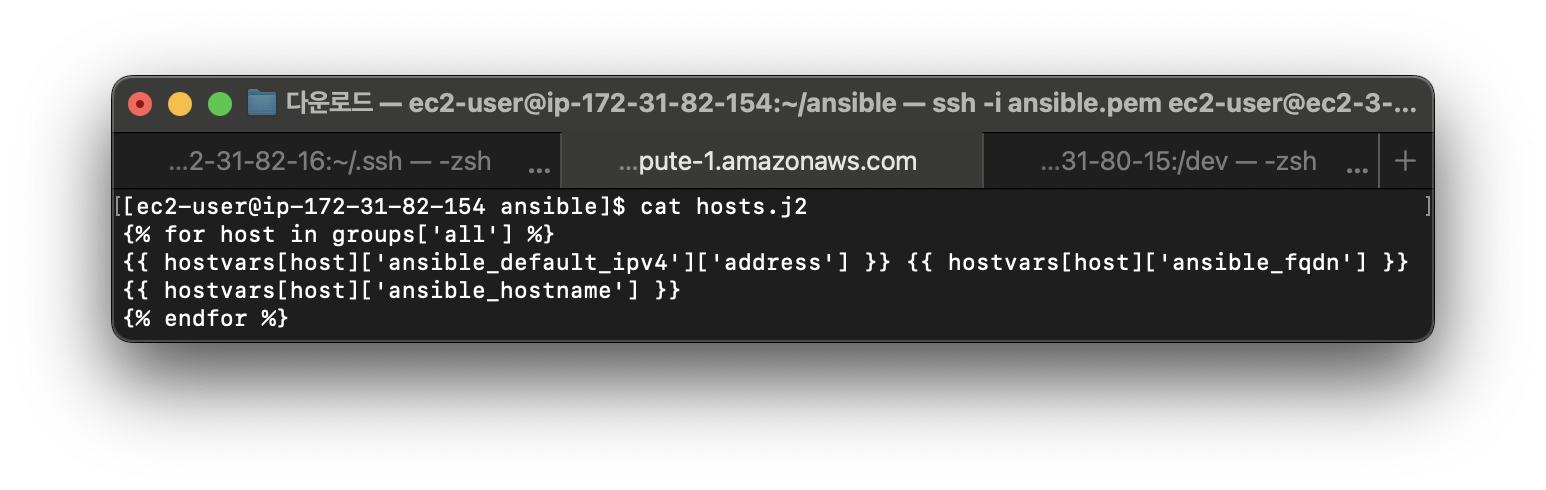
#vi hosts.j2
//모든 호스트에 대해 반복하여
{% for host in groups['all'] %}
//ip주소, 도메인, 호스트네임 순서로 출력
{{ hostvars[host]['ansible_default_ipv4']['address'] }} {{ hostvars[host]['ansible_fqdn'] }} {{ hostvars[host]['ansible_hostname'] }}
{% endfor %}
3. hosts.yml 파일 작성 및 실행
#vi hosts.yml
- name: create the hosts file
  hosts: all
  tasks:
    - name: create hosts file using the template
      template:
        src: hosts.j2
        dest: /etc/myhosts
      when: ansible_hostname in groups['dev']

#ansible-playbook hosts.yml
#ansible dev -m shell -a "cat /etc/myhosts"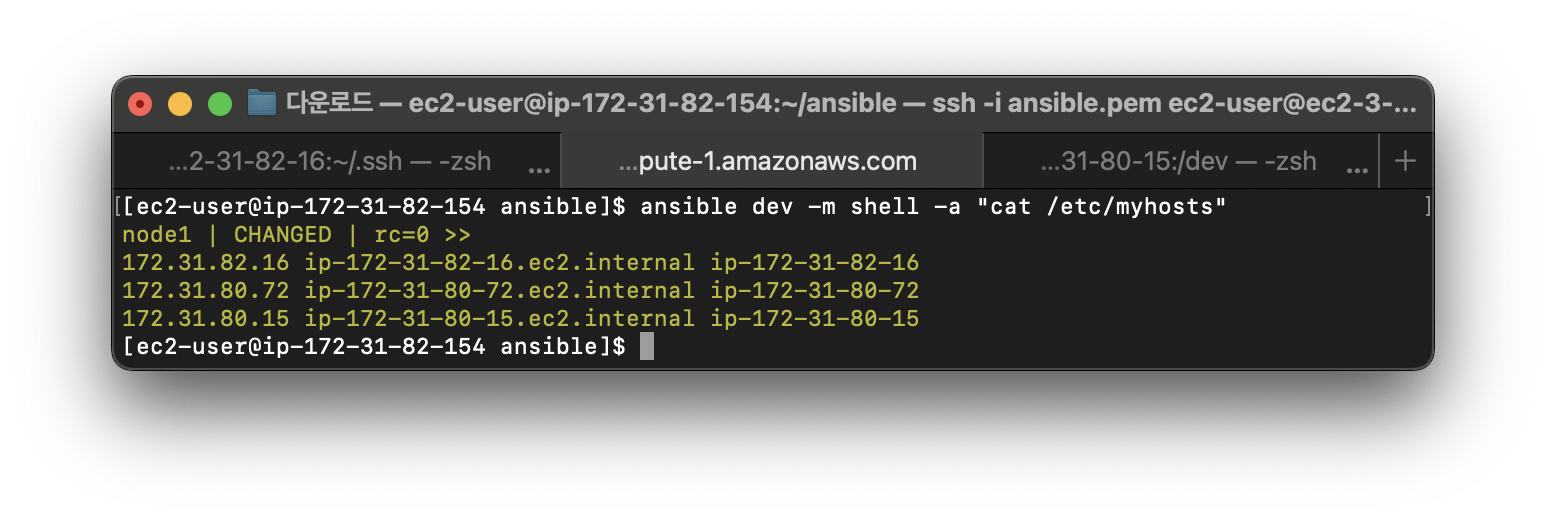
9. 파일 내용 수정하기
문제 및 답
문제 9)
다음과 같이 /home/matthew/ansible/issue.yml이라는 플레이 북을 만듭니다.

- 스크립트는 모든 호스트에서 실행됩니다.
- 플레이 북은 아래와 같이 /etc/issue의 내용을 텍스트 줄로 대체합니다.
   - dev 호스트 그룹의 호스트에서 내용 : developer
   - test 호스트 그룹의 호스트에서 내용 : test
   - prod 호스트 그룹의 호스트에서 내용 : production
답 9)
#vi /home/matthew/ansible/issue.yml
- name: chage the data using copy module
hosts: all
tasks:
- name: change the data1
copy:
content: "Development TOP"
dest: /etc/issue
when: ansible_hostname in groups['dev']
- name: change the data2
copy:
content: "Test LAB TOP"
dest: /etc/issue
when: ansible_hostname in groups['test']
- name: change the data3
copy:
content: "Production TOP"
dest: /etc/issue
when: ansible_hostname in groups['prod']
#ansible-playbook issue.yml
풀이과정
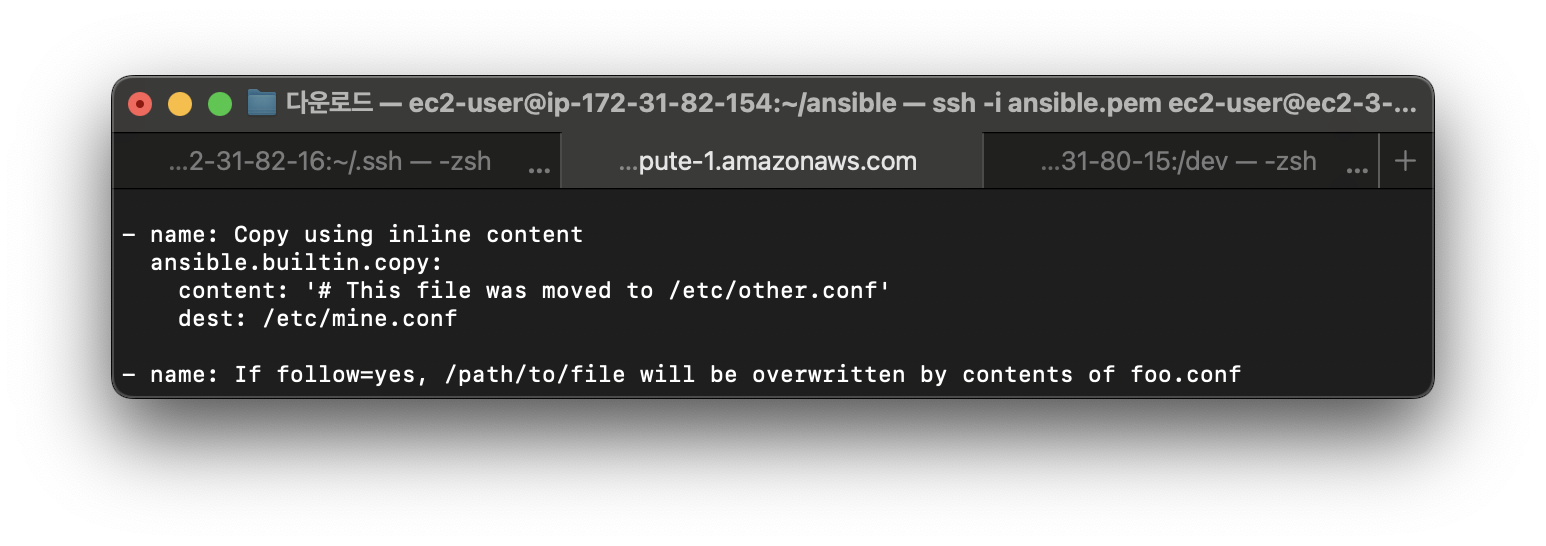
1. ansible-doc 참고
ansibl-doc copy
2. yml파일 작성 후 실행
#vi /home/ec2-user/ansible/issue.yml
- name: chage the data using copy module
  hosts: all
  tasks:
          - name: change the data1
            copy:
                    content: "Development TOP"
                    dest: /etc/issue
            when: ansible_hostname in groups['dev']

          - name: change the data2
            copy:
                    content: "Test LAB TOP"
                    dest: /etc/issue
            when: ansible_hostname in groups['test']

          - name: change the data3
            copy:
                    content: "Production TOP"
                    dest: /etc/issue
            when: ansible_hostname in groups['prod']

#ansible-playbook issue.yml
3. 변경사항 확인
ansible all -m shell "cat /etc/issue"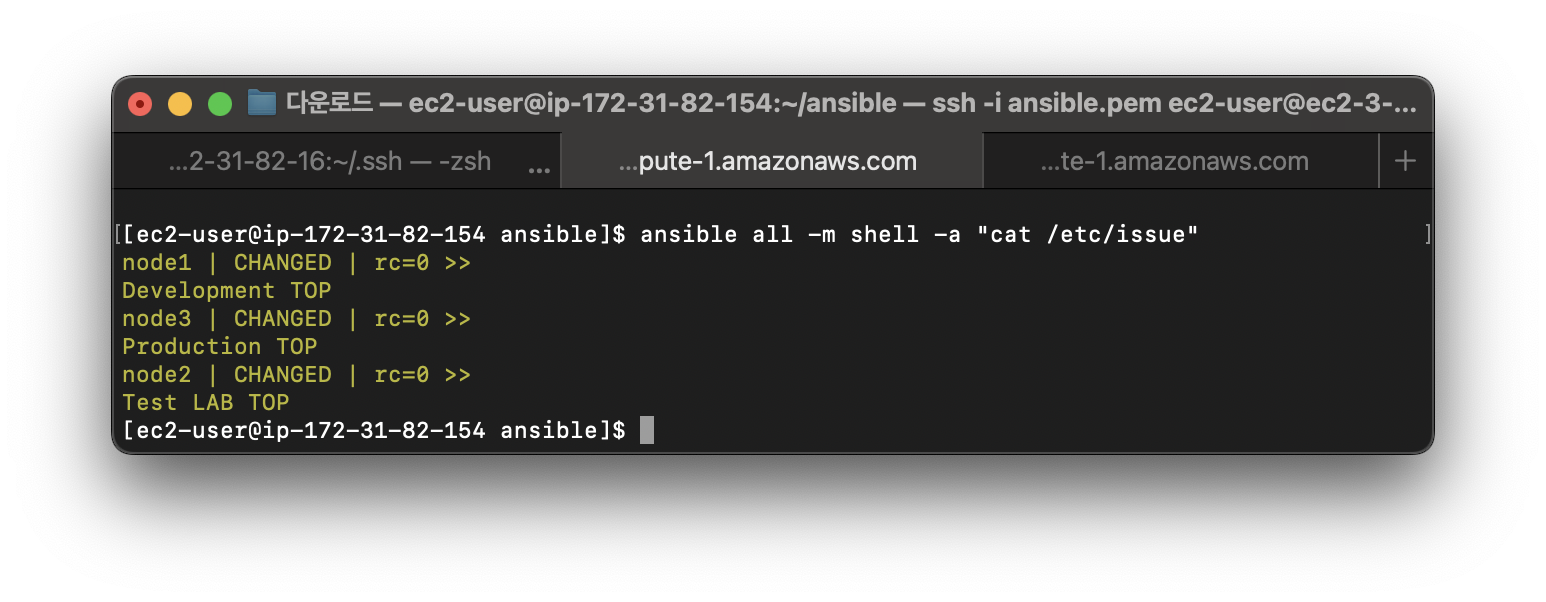
'Linux > RHCE' 카테고리의 다른 글
| [RHCE]암호라이브러리/새 key 생성 (0) | 2025.05.31 |
|---|---|
| [RHCE]웹 컨텐츠 디렉토리 만들기/하드웨어 보고서 생성 (0) | 2025.05.31 |
| [RHCE]LV 생성 및 적용 (0) | 2025.04.14 |
| [RHCE]System role 생성(custom) 및 실행 (1) | 2024.11.03 |
| [RHCE]System role 사용(timesync,selinux,balancer,phpinfo) (2) | 2024.04.22 |


