19. 애플리케이션 생성
ablerate 유저로 로그인했을 때 "Welcom to user ablerate"가 뜨도록 rhcsa 어플리케이션 만들어라
Build an application rhcsa that print the message when logged in as ablerate user
"Welcome to user ablerate "
1. user 생성(없을경우)
useradd ablerate
passwd ablerate
2. rhcsa 생성
# vi /usr/bin/local/rhcsa
#!/bin/bash
echo "Welcom to user ablerate"
chmod 755 /usr/bin/local/rhcsa
3. bash 설정
# vi /home/ablerate/.bashrc
/usr/bin/local/rhcsa //추가
# vi /home/ablerate/.bash_profile
/usr/bin/local/rhcsa //추가
4. 확인
su ablerate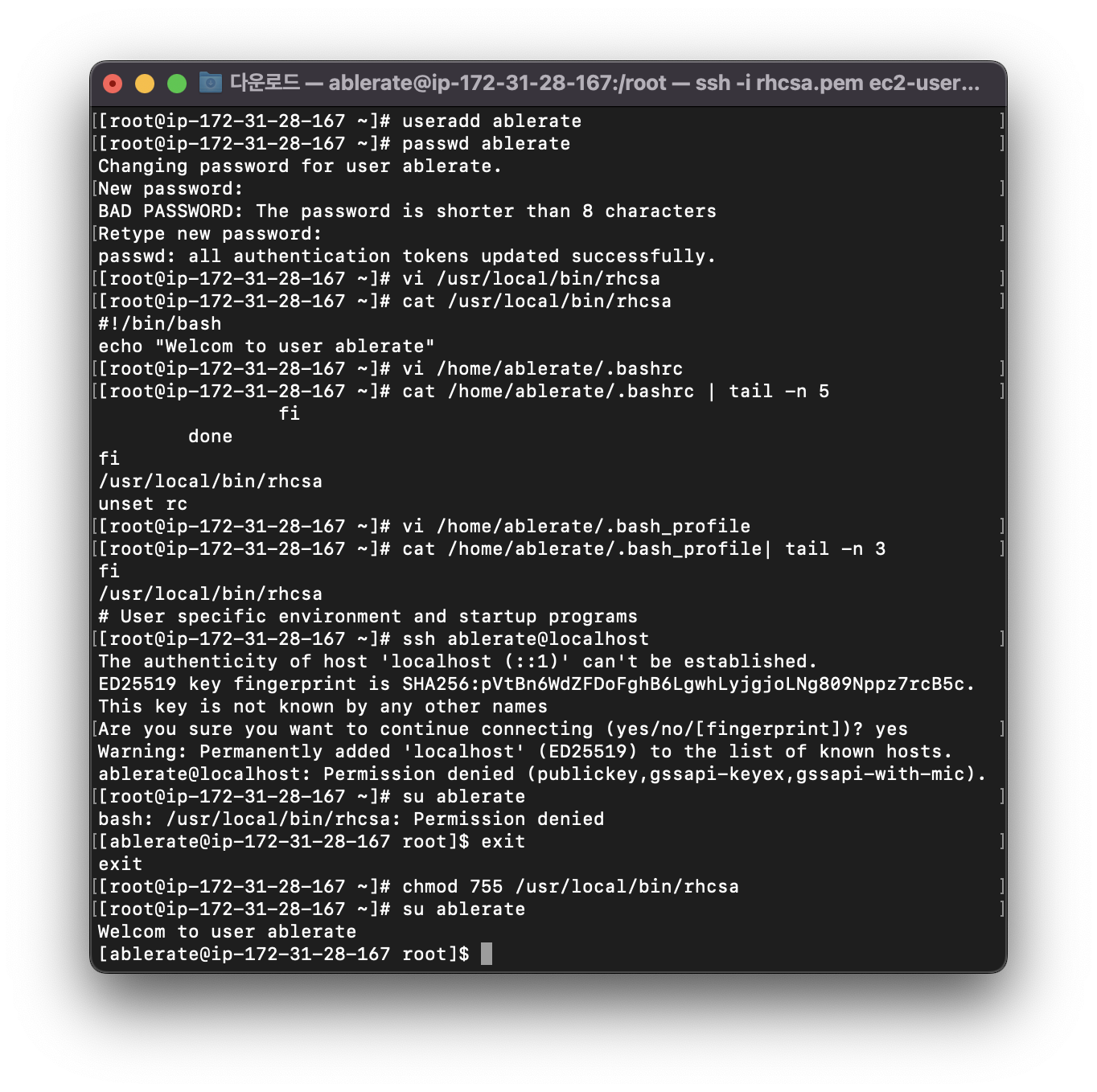
20. 컨테이너 이미지 빌드
이미지 url에서 다운받아서 빌드시켜라
Download containerfile from http://classroom.example.com/Containerfile
Do not make any modification.
Build image with this container file.
1. 설치
dnf install container-tools
2. 컨테이너 파일 받기
mkdir mycontainer
wget url
ls //Containerfile 나와야함
3. 빌드
podman build -t myimage:v1 .
podman images //이미지 확인
21. 컨테이너 실행
자동으로 시작되도록 컨테이너 구성
- 이전에 빌드한 이미지를 사용하여 mycontainer라는 컨테이너를 만듭니다.
- /opt/file 디렉터리를 컨테이너 디렉터리인 /opt/incoming에 자동으로 마운트하도록 서비스를 구성합니다.
그리고 사용자 디렉터리 /opt/processed는 컨테이너 디렉터리 /opt/outgoing으로 처리됩니다.
- 기존 사용자 xanadu에서만 실행되어야 하는 시스템 서비스로 실행되도록 구성합니다.
- 서비스 이름은 mycontainer여야 하며 수동 개입 없이 시스템 재부팅을 자동으로 시작해야 합니다."
Configure a container to start automatically
- Create a container named mycontainer using the image which build previously.
- Configure the service to automatically mount the directory /opt/file to container
directory /opt/incoming. And user directory /opt/processed to container directory
/opt/outgoing
- Configure it to run as a system service that should run from the
existing user xanadu only
- The service should be named mycontainer and should automatically start a system
reboot without any manual intervention.
1. 계정전환
ssh 계정@serverb

#xanadu에서 실행
mkdir mycontainer
cd mycontainer
wget url
podman build -t myimage:v1 .
podman images //이미지 확인

#root에서 실행
mkdir /opt/file
mkfir /opt/processed
chown xanadu:xanadu /opt/file
chown xanadu:xanadu /opt/processed

#xanadu /mycontainer에서 실행
podman run -d --name mycontainer -v /opt/file/:/opt/incoming:Z -v /opt/processed/:/opt/outgoing:Z
localhost/myimage:v1
//localhost/myimage:v1 podman images에서 repository:tag
podman ps

loginctl enable-linger
loginctl show-user xanadu # linger yes 확인

mkdir -p ~/.config/systemd/user
cd ~/.config/systemd/user
podman generate systemd --name mycontainer --files
ls //.service 나와야함
podman ps
podman stop mycontainer
podman ps //멈춘것 확인하기

systemctl --user start container-mycontainer.service
systemctl --user enable container-mycontainer.service

#재부팅 후 잘 올라오는지 확인하기
'Linux > RHCSA' 카테고리의 다른 글
| [RHCSA]시험 도움된 사이트/후기 (6) | 2024.04.21 |
|---|---|
| [RHCSA]패스워드 초기화/LV증설/SWAP추가/논리볼륨생성/튜닝(tuned) (0) | 2024.01.11 |
| [RHCSA]AWS 볼륨 추가 및 LVM 구성(볼륨 관련 문제풀이 사전준비) (0) | 2024.01.11 |
| [RHCSA]autofs/사용자 계정/파일찾기/아카이브 생성 (0) | 2024.01.03 |
| [RHCSA]selinux/협업 디렉토리/NTP설정 (0) | 2024.01.03 |


